
Resolving crash issues
This is a generic guide with resolutions to resolve issues. Following the below instructions will fix a good amount of them, in the case that they dont, please scroll to the bottom of this guide and contact our technical support team.
Resolutions
General solutions
- Try Launching The Game As Administrator
- open steam -> library -> right click SCP:SL -> manage -> browse local files -> right click SCPSL.exe and click "run as admin".
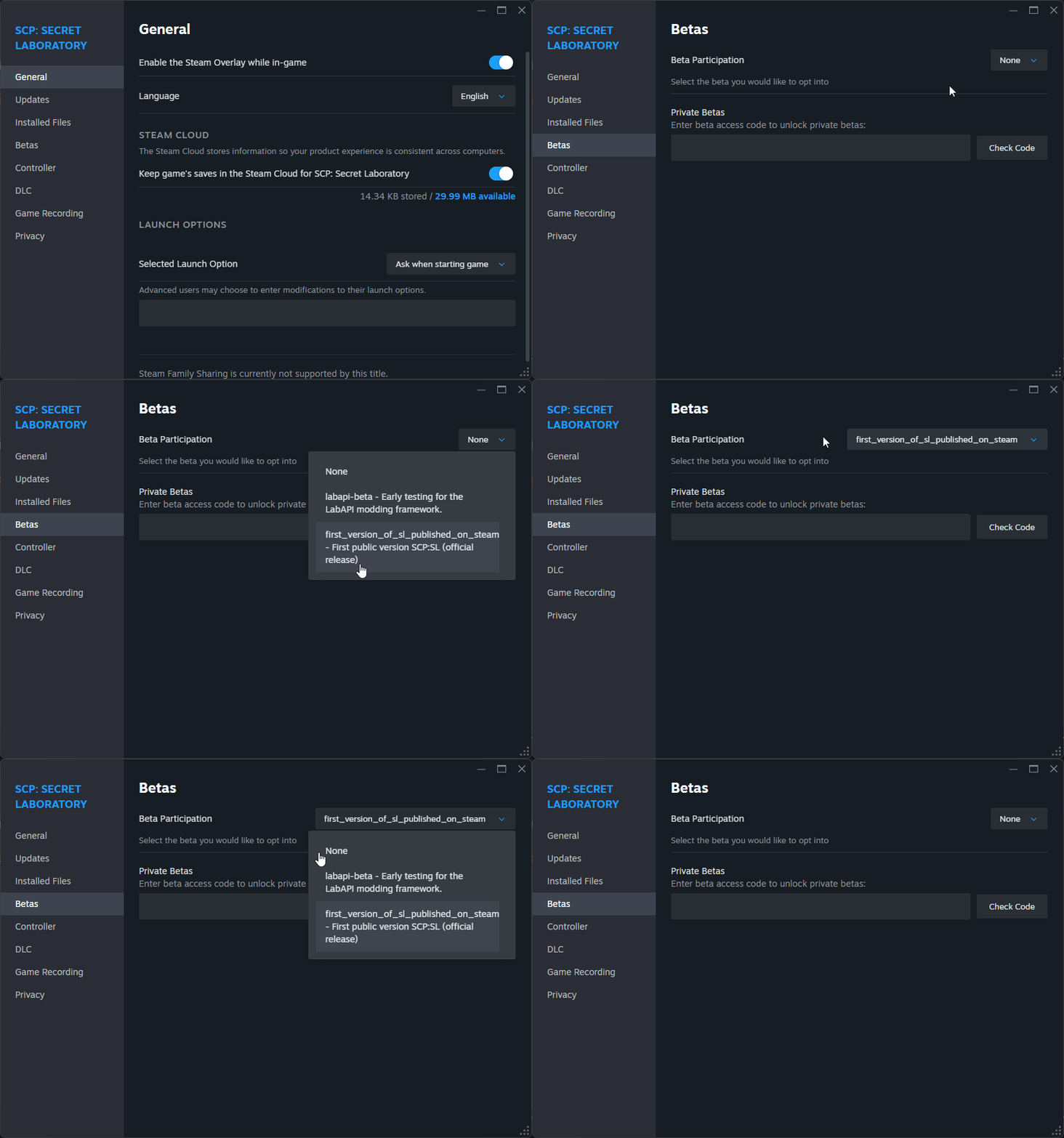
- Switch The Game Branch To Another Available, Then Back To The One You Want (Gif below).
- Moving The Game To Another Drive.
- Perform a Clean reinstall Of SCP:SL.
- Run A Full Antivirus Scan, With Your Software Of Choice.
- We recommend taking a look at our other doc here!
- Restart Your PC Entirely.
- Forcing A Different Graphics API. Steps Below.
- Open Steam -> Library -> find "SCP: Secret Laboratory".
- Right click -> Properties -> General tab.
- Under "Launch Options" try adding
-force-d3d12or-force-d3d11.
- Other Launch Options.
- Open Steam -> Library -> find "SCP: Secret Laboratory".
- Right click -> Properties -> General tab.
- Under "Launch Options" try adding
-httpproxy. - If that does not work, replace
-httpproxywith-unitywebrequest. - If that does not work, replace
-unitywebrequestwith-unitywebrequestdispatcher. - If none work, please remove any of the above launch options!
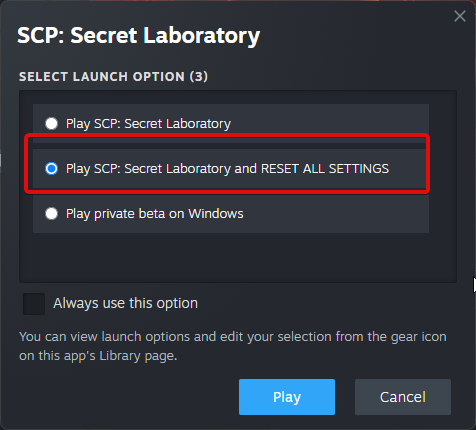
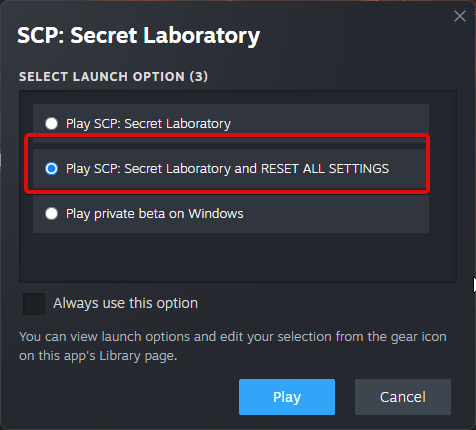
- When Launching The Game In Steam Click "RESET ALL SETTINGS".
- If this does not show up: Open Steam -> Library -> find "SCP: Secret Laboratory" -> Properties -> General -> change "Selected Launch Option" to "Ask when starting game".
- Launch the game and click "Play SCP: Secret Laboratory and RESET ALL SETTINGS".
- Disable Fullscreen Optimization.
- Open Steam -> Library -> find "SCP: Secret Laboratory" -> right click -> Properties -> Manage -> "Browse local files".
- Right click
SCPSL.exe-> Properties -> Compatibility -> toggle "Disable fullscreen optimization".
- Modifying Game Registry In
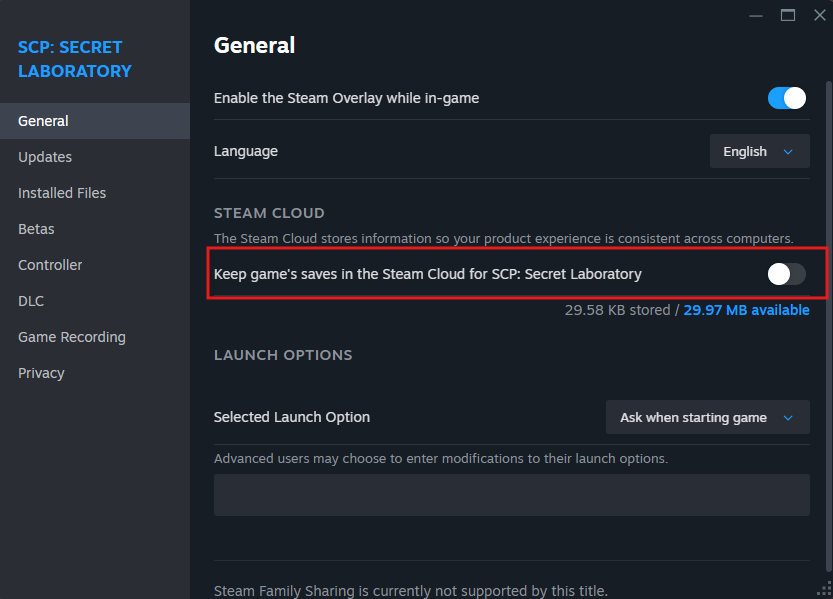
Windows. First, you will need to make some changes:Turn off Steam Cloud Sync for the game: Right click "SCP: Secret Laboratory" in the steam library -> "Properties" -> "General" tab and toggle off "Keep games saves in the Steam Cloud for SCP: Secret Laboratory".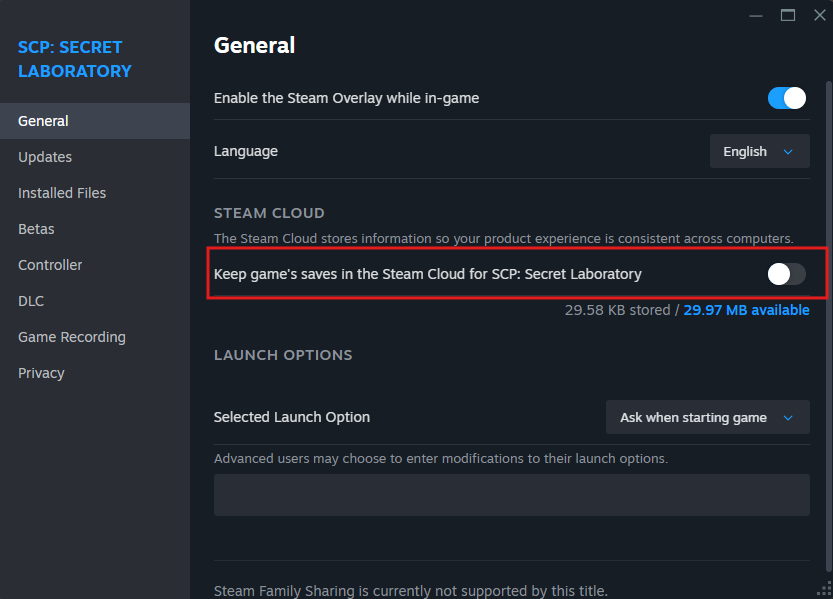
appdata.batregistry.txtregeditComputer\HKEY_CURRENT_USER\Software\Northwood\SCPSLScreenmanager Fullscreen mode_h36302408062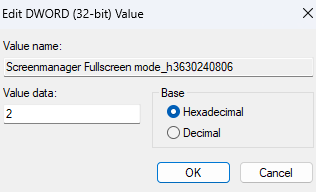
Screenmanager Native RefreshRate Numerator_h424313700560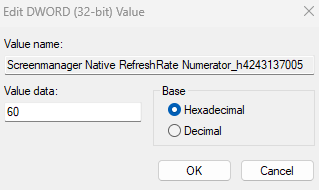
Screenmanager RefreshRate Numerator_h347313150060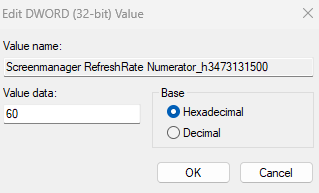
Screenmanager Resolution Height_h26276977712d0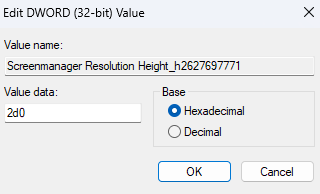
Screenmanager Resolution Width_h182942802500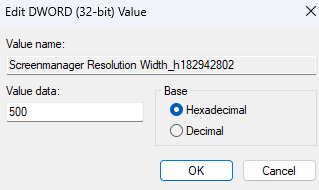
Screenmanager Resolution Window Height_h16847128072d0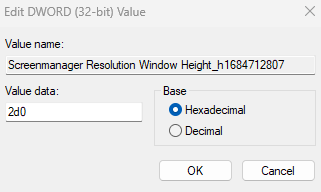
Screenmanager Resolution Window Width_h2524650974500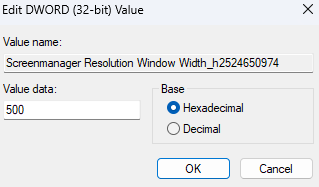
OpenCheckSteamout->ourLibraryguide-> find "SCP: Secret Laboratory" -> right click -> Properties -> Manage -> "Browse local files".here!Run "appdata.bat" (may just be "appdata").
07UserSettings_0A50_2000::-%(|::::07UserSettings_0A50_2000::-%(|::3If this line does not exist, add it.
Windows stuff
- Verify the integrity of your Windows installation to ensure that you are not missing any necessary files.
- Ensure that you are not on Windows Insider Edition
Driver updates
VCRedist Repair/Install
- Take a look at our guide to reinstall VCRedist here!
Still have issues?
Please contact our Technical Support team here