
Remote Admin Panel
The Remote Admin panel is a menu that helps moderators and administrators of servers in doing their job. A player must be authorised by the owner to use any of the Remote Admin features.
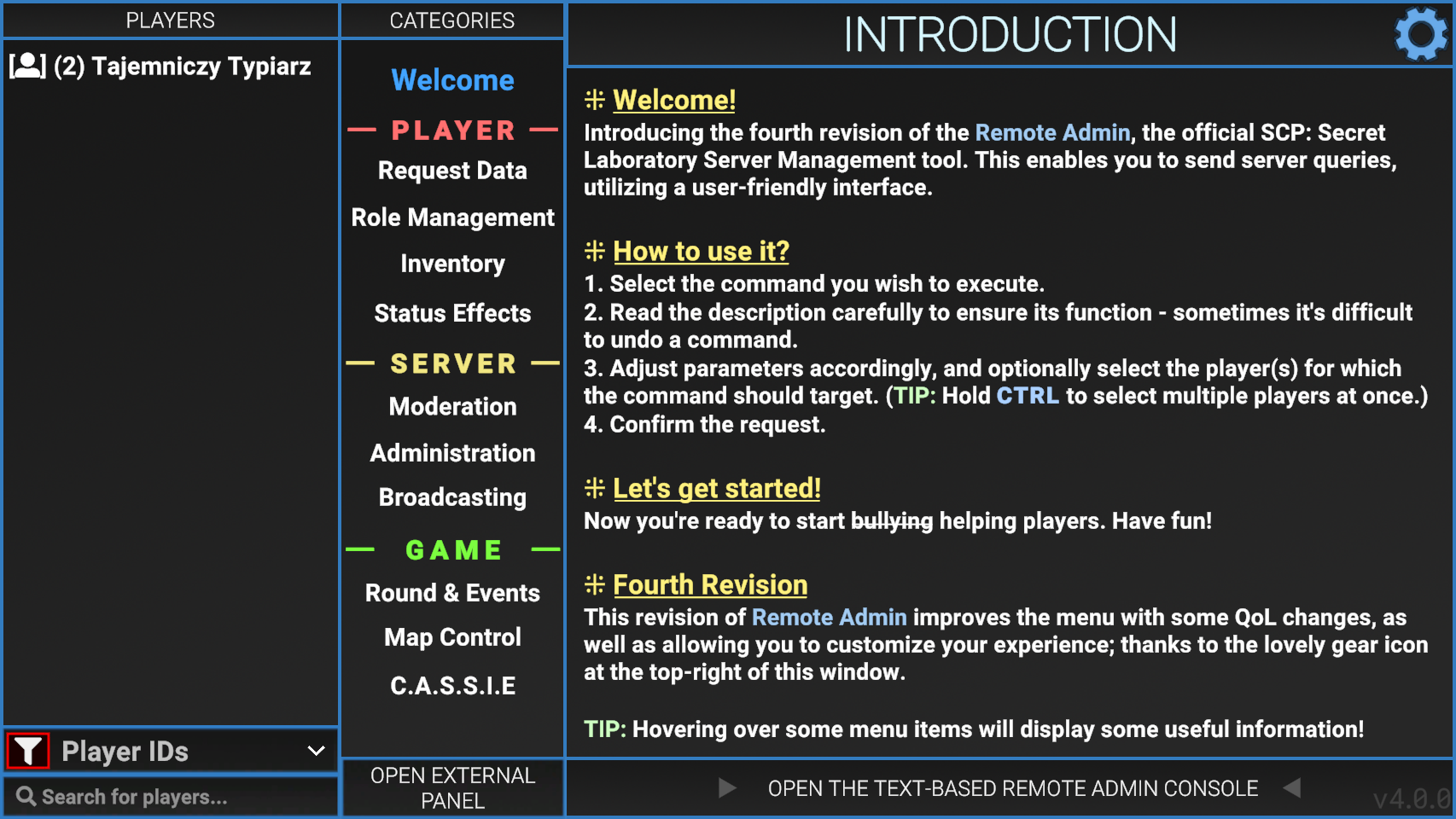
Welcome Page
The welcome page is the first page a player will see when opening the Remote Admin. Its simple purpose is to explain to the player how the menu is used and navigated.
Player Info
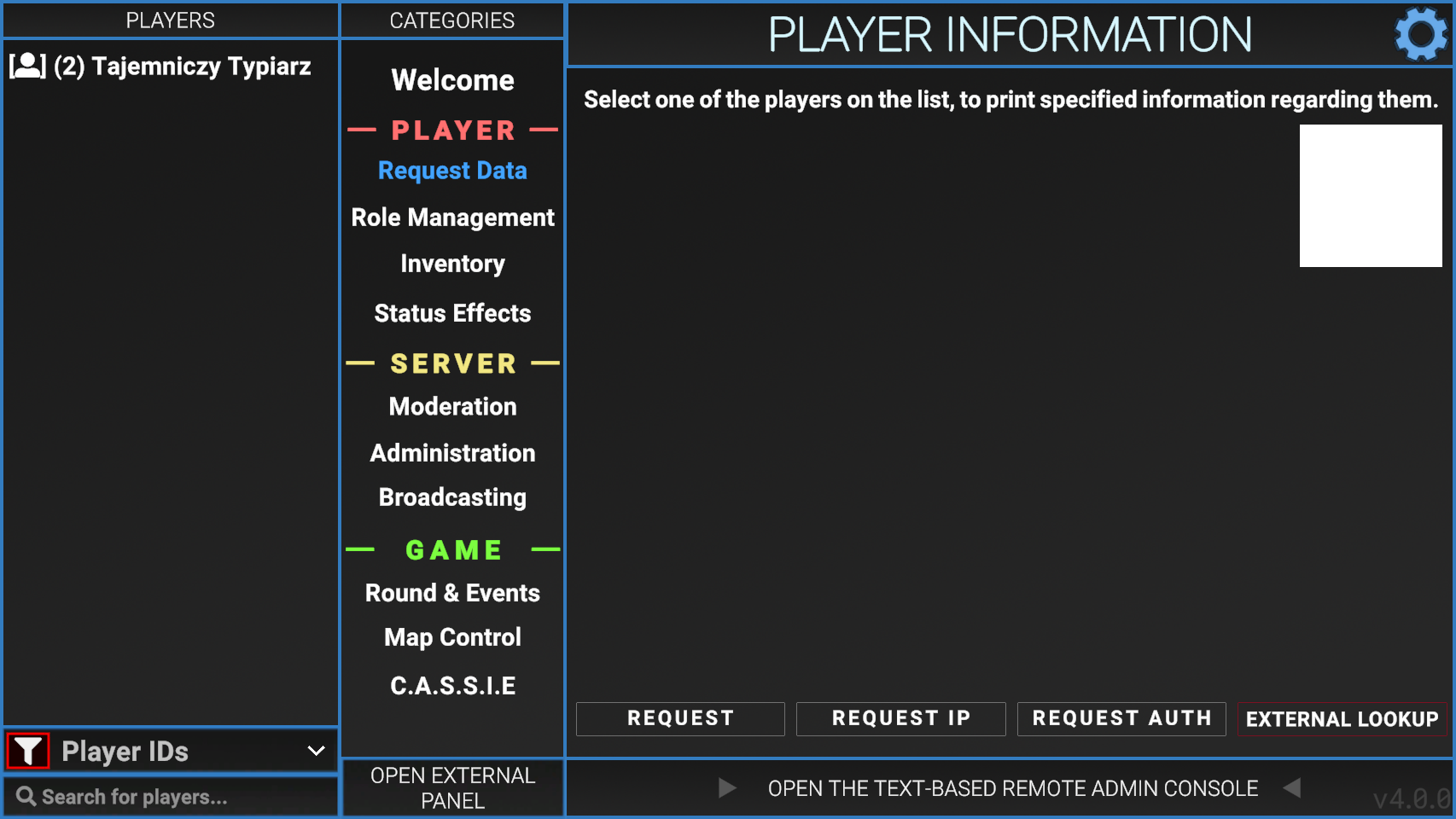
The Player Info tab has 3 buttons (as of version 2.0.2), these being; Request, Request IP and Request Auth.
Usage
- Select a player from the left column labeled "Players".
- Press one of the 3 request buttons listed below.
Request
- Name
- Player ID
- SteamID64
- Server role
- Any hidden roles (if authorised)
- Active flags
- Class (if authorised)
- HP
Request IP
Similar to "request", but includes IP address used by the player to connect to the server. This can be used to find people using alternative accounts to bypass bans.
Request Auth
Shows the players authentication token along with a QR code.
Kick/Ban
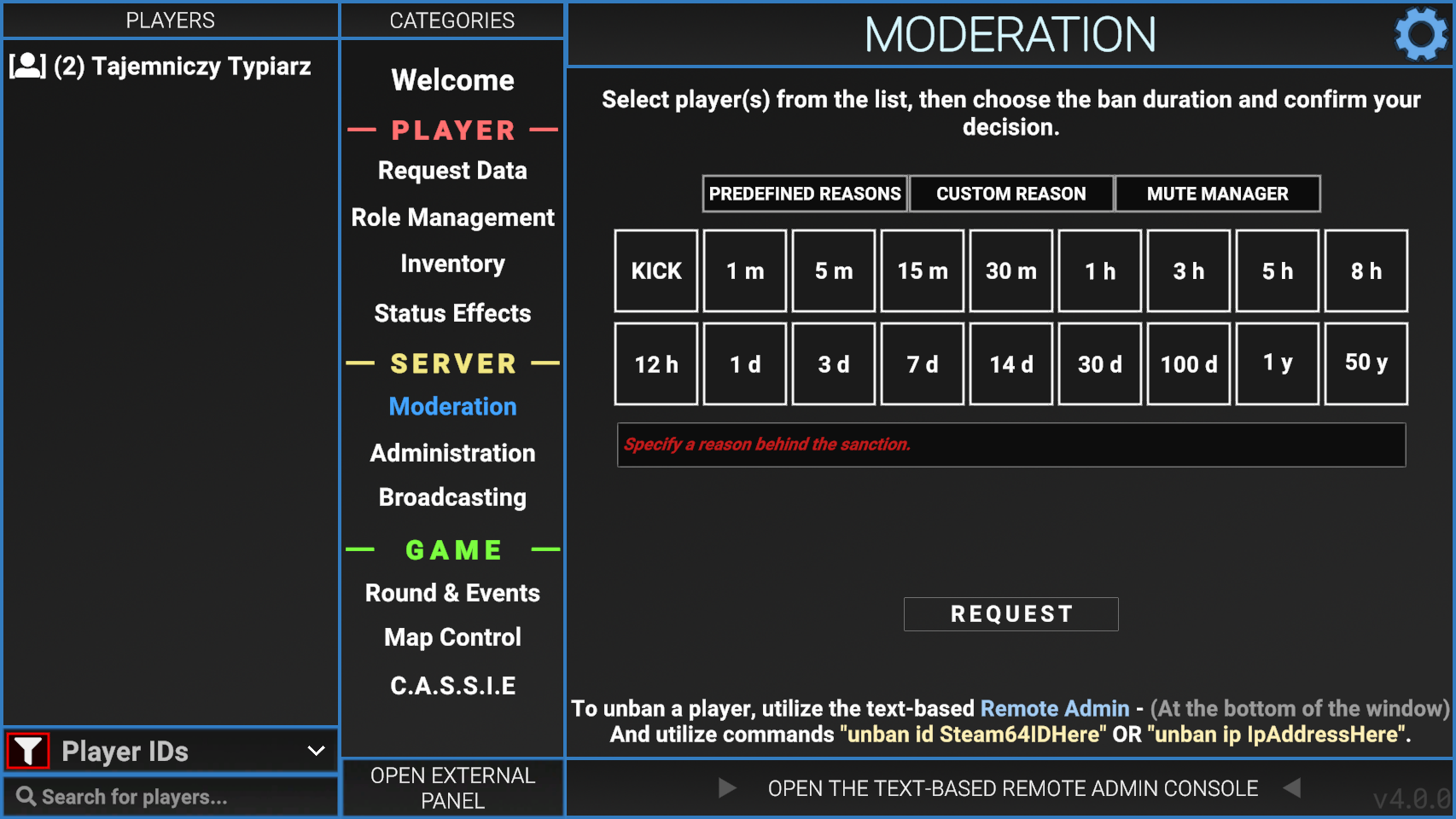
Admin tools allow moderators and administrators of servers to easily perform tasks without typing out commands.
Usage
- Select a player from the left column labeled "Players".
- Select the desired amount of time to remove them from the game for.
- Click "Request".
Forceclass
Allows the user to change the current class of any player. Select a player or multiple, click the desired class, then hit the SET CLASS button. Force Class is the only way to make someone spawn as Tutorial, SCP-3114 and Filmmaker without the use of plugins.

| Class | Debug Name | Class ID |
|---|---|---|
 |
Scp173 | 0 |
 |
ClassD | 1 |
 |
Spectator | 2 |
 |
Scp106 | 3 |
 |
NtfSpecialist | 4 |
 |
Scp049 | 5 |
 |
Scientist | 6 |
 |
Scp079 | 7 |
 |
ChaosConscript | 8 |
 |
Scp096 | 9 |
 |
Scp0492 | 10 |
|
|
NtfSergeant | 11 |
 |
NtfCaptain | 12 |
 |
NtfPrivate | 13 |
 |
Tutorial | 14 |
 |
FacilityGuard | 15 |
 |
Scp939 | 16 |
|
|
ChaosRifleman | 18 |
|
|
ChaosMarauder | 19 |
|
|
ChaosRepressor | 20 |
 |
Overwatch | 21 |
 |
Filmmaker | 22 |
 |
Scp3114 | 23 |
Give Item
Allows the user to give items to any other player. Select a player or multiple, click the desired item, then hit the REQUEST button.
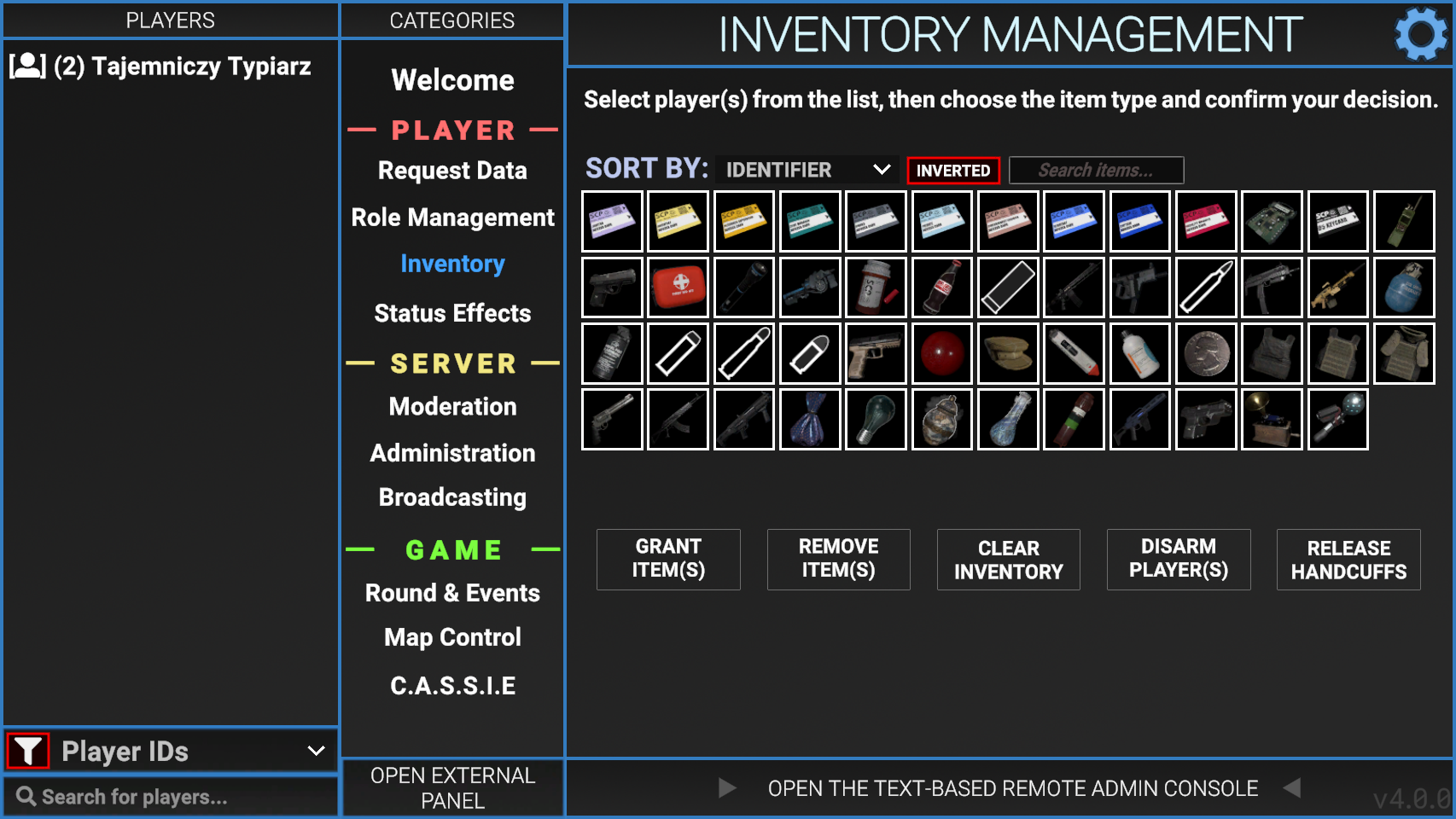
The following chart list every item that be found in game. Additionally the chart displays ItemTypes (aka Debug Names) and Debug IDs. Event exclusive items are excluded from the chart.
| Item | ItemType | Debug ID |
|---|---|---|
 Janitor Keycard Janitor Keycard |
KeycardJanitor | 0 |
 Scientist Keycard Scientist Keycard |
KeycardScientist | 1 |
 Research Supervisor Keycard Research Supervisor Keycard |
KeycardResearchCoordinator | 2 |
 Zone Manager Keycard Zone Manager Keycard |
KeycardZoneManager | 3 |
 Guard Keycard Guard Keycard |
KeycardGuard | 4 |
 Private Keycard Private Keycard |
KeycardMTFPrivate | 5 |
 Containment Engineer Keycard Containment Engineer Keycard |
KeycardContainmentEngineer | 6 |
 Operative Keycard Operative Keycard |
KeycardMTFOperative | 7 |
 Captain Keycard Captain Keycard |
KeycardMTFCaptain | 8 |
 Facility Manager Keycard Facility Manager Keycard |
KeycardFacilityManager | 9 |
 Chaos Insurgency Access Device Chaos Insurgency Access Device |
KeycardChaosInsurgency | 10 |
 O5 Keycard O5 Keycard |
KeycardO5 | 11 |
 Radio Radio |
Radio | 12 |
 COM-15 COM-15 |
GunCOM15 | 13 |
 First Aid Kit First Aid Kit |
Medkit | 14 |
 Flashlight Flashlight |
Flashlight | 15 |
 Micro H.I.D. Micro H.I.D. |
MicroHID | 16 |
 SCP-500 SCP-500 |
SCP500 | 17 |
 SCP-207 SCP-207 |
SCP207 | 18 |
 12/70 Buckshot 12/70 Buckshot |
Ammo12gauge | 19 |
 MTF-E11-SR MTF-E11-SR |
GunE11SR | 20 |
 Crossvec Crossvec |
GunCrossvec | 21 |
 5.56x45mm 5.56x45mm |
Ammo556x45 | 22 |
 FSP-9 FSP-9 |
GunFSP9 | 23 |
 Logicer Logicer |
GunLogicer | 24 |
 High-Explosive Grenade High-Explosive Grenade |
GrenadeHE | 25 |
 Flashbang Grenade Flashbang Grenade |
GrenadeFlash | 26 |
 .44 Mag .44 Mag |
Ammo44cal | 27 |
 7.62x39mm 7.62x39mm |
Ammo762x39 | 28 |
 9x19mm 9x19mm |
Ammo9x19 | 29 |
 COM-18 COM-18 |
GunCOM18 | 30 |
 SCP-018 SCP-018 |
SCP018 | 31 |
 SCP-268 SCP-268 |
SCP268 | 32 |
 Adrenaline Adrenaline |
Adrenaline | 33 |
 Painkillers Painkillers |
Painkillers | 34 |
 Coin Coin |
Coin | 35 |
 Light Armor Light Armor |
ArmorLight | 36 |
 Combat Armor Combat Armor |
ArmorCombat | 37 |
 Heavy Armor Heavy Armor |
ArmorHeavy | 38 |
 .44 Revolver .44 Revolver |
GunRevolver | 39 |
 AK AK |
GunAK | 40 |
 Shotgun Shotgun |
GunShotgun | 41 |
 Bag of Candies Bag of Candies |
SCP330 | 42 |
 SCP-2176 SCP-2176 |
SCP2176 | 43 |
 SCP-244-A SCP-244-A |
SCP244a | 44 |
 SCP-244-B SCP-244-B |
SCP244b | 45 |
 SCP-1853 SCP-1853 |
SCP1853 | 46 |
 3-X Particle Disruptor 3-X Particle Disruptor |
ParticleDisruptor | 47 |
 COM-45 COM-45 |
GunCOM45 | 48 |
 SCP-1576 SCP-1576 |
SCP1576 | 49 |
 Jailbird Jailbird |
Jailbird | 50 |
 Anti-Cola Anti-Cola |
AntiSCP207 | 51 |
 FR-MG-0 FR-MG-0 |
GunFRMG0 | 52 |
 A7 A7 |
GunA7 | 53 |
 Lantern Lantern |
Lantern | 54 |
 SCP-1344 SCP-1344 |
SCP1344 | 55 |
 SCP-127 SCP-127 |
GunSCP127 | 62 |
Administration
Overwatch
- When a player is set as "overwatch" they cannot respawn via command or respawn wave. This is useful when watching over someone expected of breaking rules.
God Mode
- When a player is put into "god mode" they cannot die.
Bypass Mode
- A player that has "bypass" can open or use any item without the need of a keycard. This also allows infinite use of the intercom system.
Teleportation
- Allows moderators and administrators to teleport other players to where they are needed. There are two types of teleport listed below.
- Bring - brings the player selected to the person using the command.
- Go to - Takes the person using the command to the player selected.
Misc
- The "misc" category has 2 commands that don't fit into any of the other areas. These commands are listed below.
- Heal - heals the player selected to default health.
- Lockdown - locks all doors on the map.
Noclip
- Allows a player to toggle between Noclip with the I key. The noclip speed can be adjusted with the Scroll Wheel.
Usage
- Select a player from the left column labeled "Players".
- Select one of the admin tools listed.
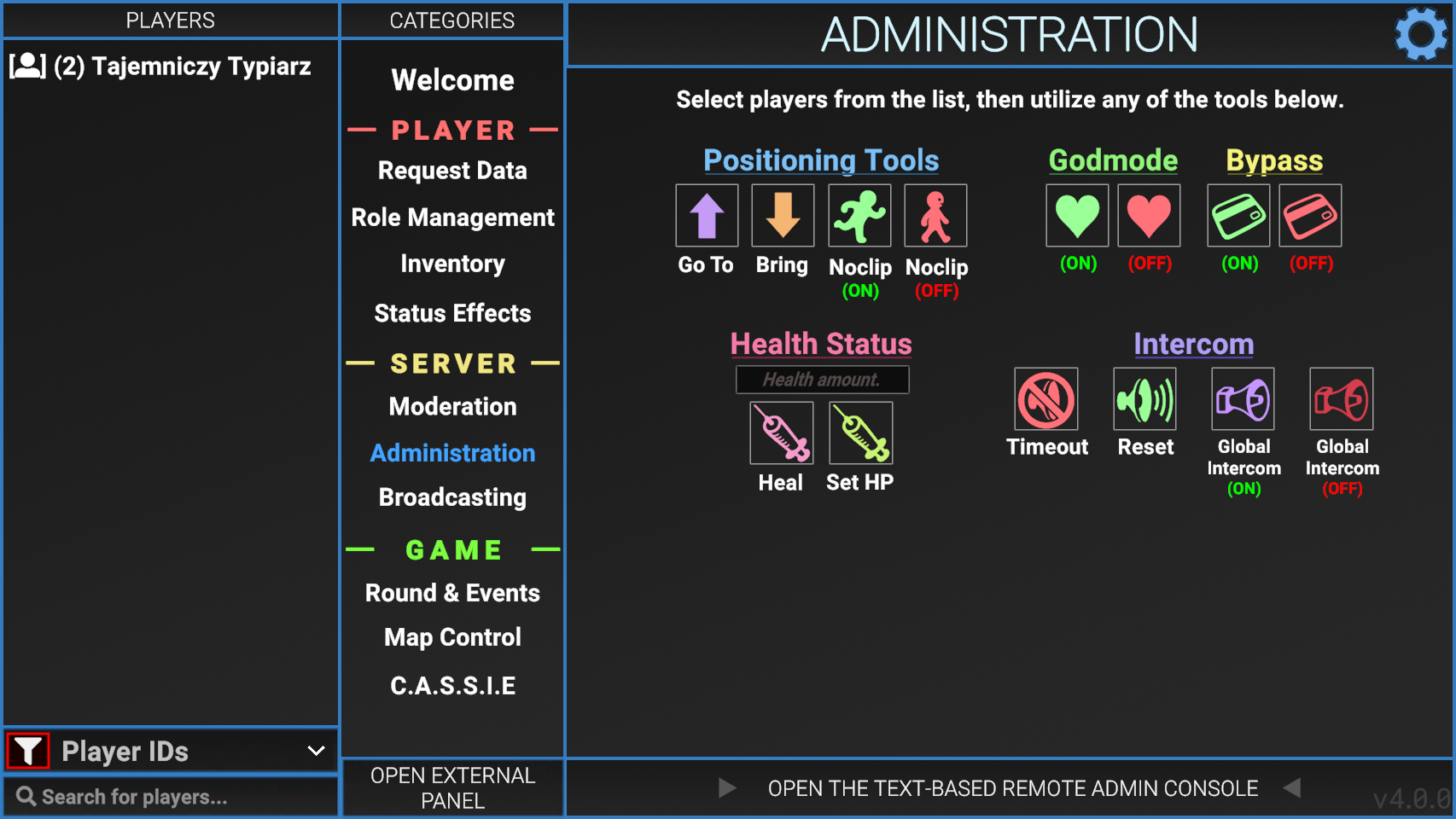
Door Management
Allows the user to interact with multiple doors around the facility. Normal hallway doors can be selected with the All button. The All (listed) will select all the other buttons shown in the menu. Doors that lead to special rooms, like 012, 049's armory etc. are listed as buttons that can also be selected. At the button is a list of possible interactions.
Any door that is opened will be shown in green in remote admin.
Any door that is locked will be outlined in red.
Any door that is destroyed will be shown in red.
After Decontamination all buttons of Light Containment Zone doors will be red, they can still be interacted with.
After Alpha Warhead blows up, all doors except the ones on Surface Zone will be red.
- Open
- Opens all the selected doors.
- Closed
- Closes all the selected doors.
- Lock
- Locks all the selected doors.
- Unlock
- Unlocks all the selected doors.
- Destroy
- Destroys all the selected doors, does not affect gates.
- Teleport
- Teleport to the selected door.
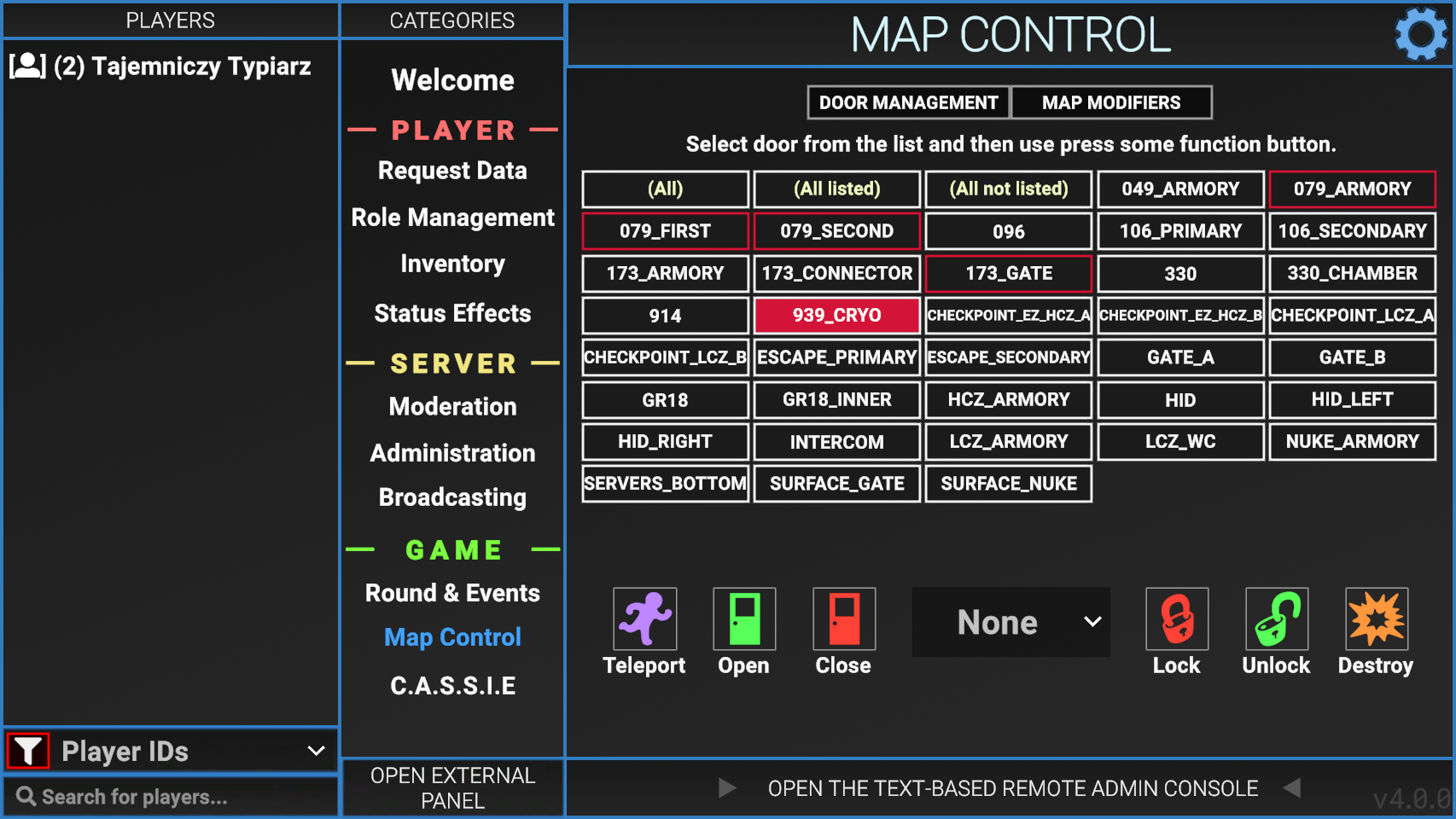
Status Effects
Allows the user to give players any status effect as well as remove them. Positive status effects are shown in green, harmful ones are shown in red, mixed effects are shown in pink.
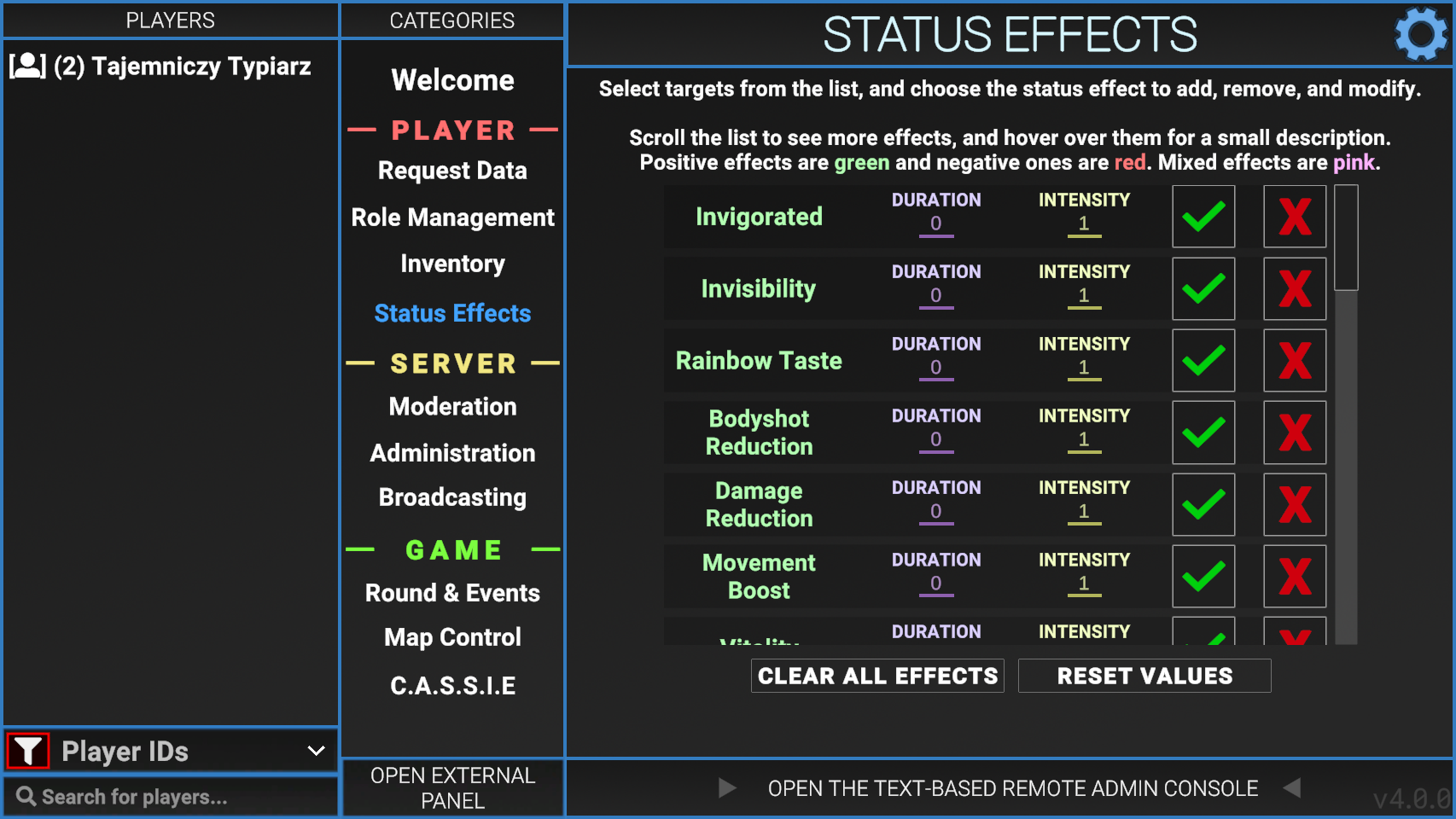
Player Mgmt.
Allows the user to manage the speaking abilities of a player.
- Mute
- Mutes the player's mic.
- Unmute
- Unmutes the player's mic.
- Icom - Mute
- Bans the player from using the Intercom.
- Icom - Unmute
- Unbans the player from using the Intercom.
Server Events
- Respawn MTF
- Respawns Mobile Task Force.
- Respawn CI
- Respawns Chaos.
- Restart Round
- Restarts the current round.
- Start Round
- Forces the round to begin.
- Kick Unconn.
- Kicks players who haven't fully connected to the server.
- Warhead Start
- Turns on the Alpha Warhead detonation process.
- Warhead Stop
- Turns off the Alpha Warhead detonation process.
- Detonate
- Detonates the Alpha Warhead immediately.
- Icom Timeout
- Forces the Intercom to cut out if a player is currently using it.
- Icom Reset
- Resets the Intercom cooldown, allowing it to be used right away.
- Round Lock
- Makes it so the current round will never end.
- Lobby Lock
- Stops the round from starting during the Please Wait lobby.

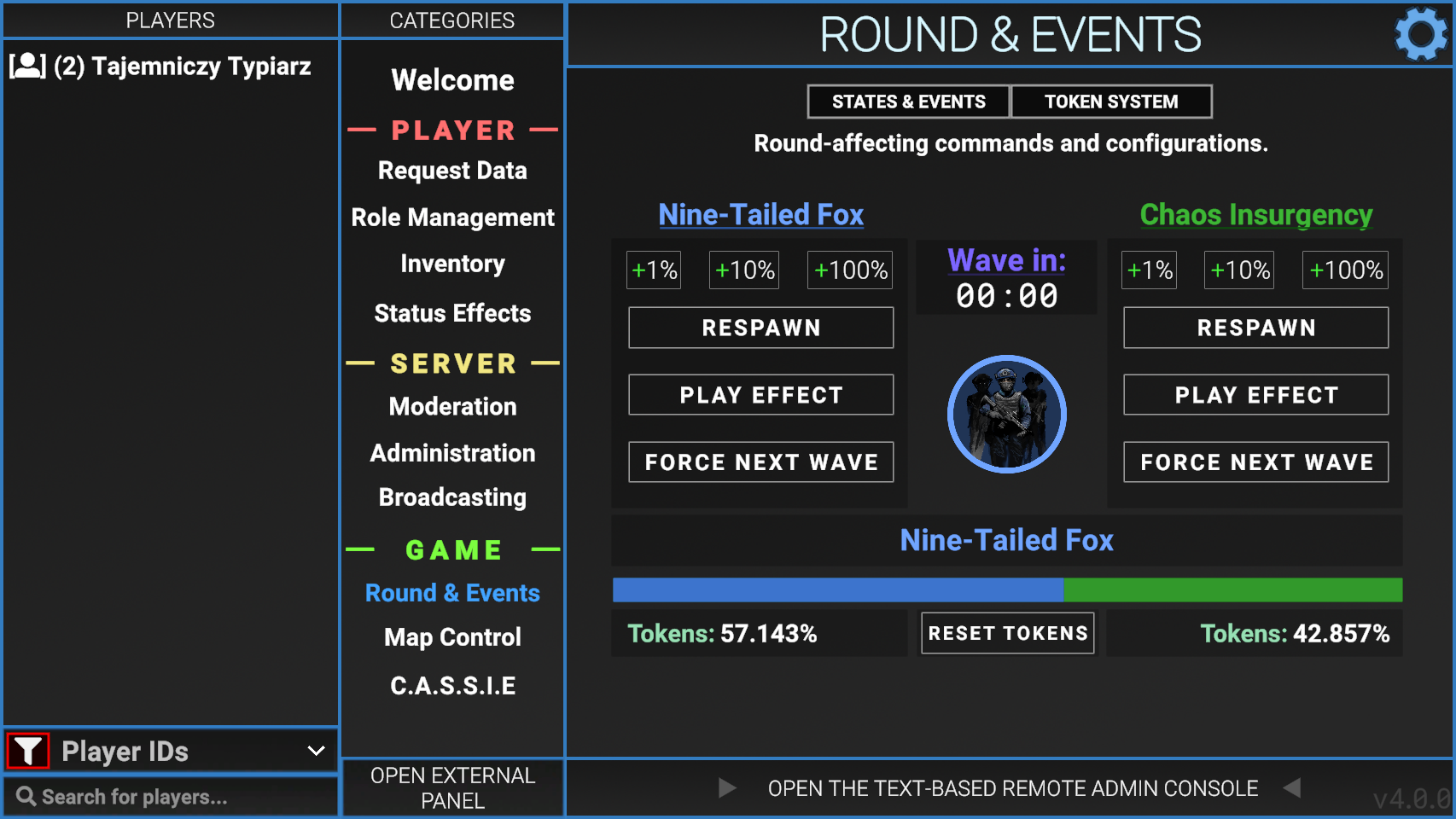
Spawn Tickets
Allows the user to see the current amount of Respawn Tickets that both Chaos and MTF have. The Refresh button near the top right must be clicked to update the tickets.
The menu will display 0 tickets for both teams until the refresh button is clicked.
The plus and minus buttons can be used to lower and increase the number of tickets.
Server Configs
Allows the user to toggle Friendly Fire and Spawn Protection settings.
Allows the user to edit some config options.
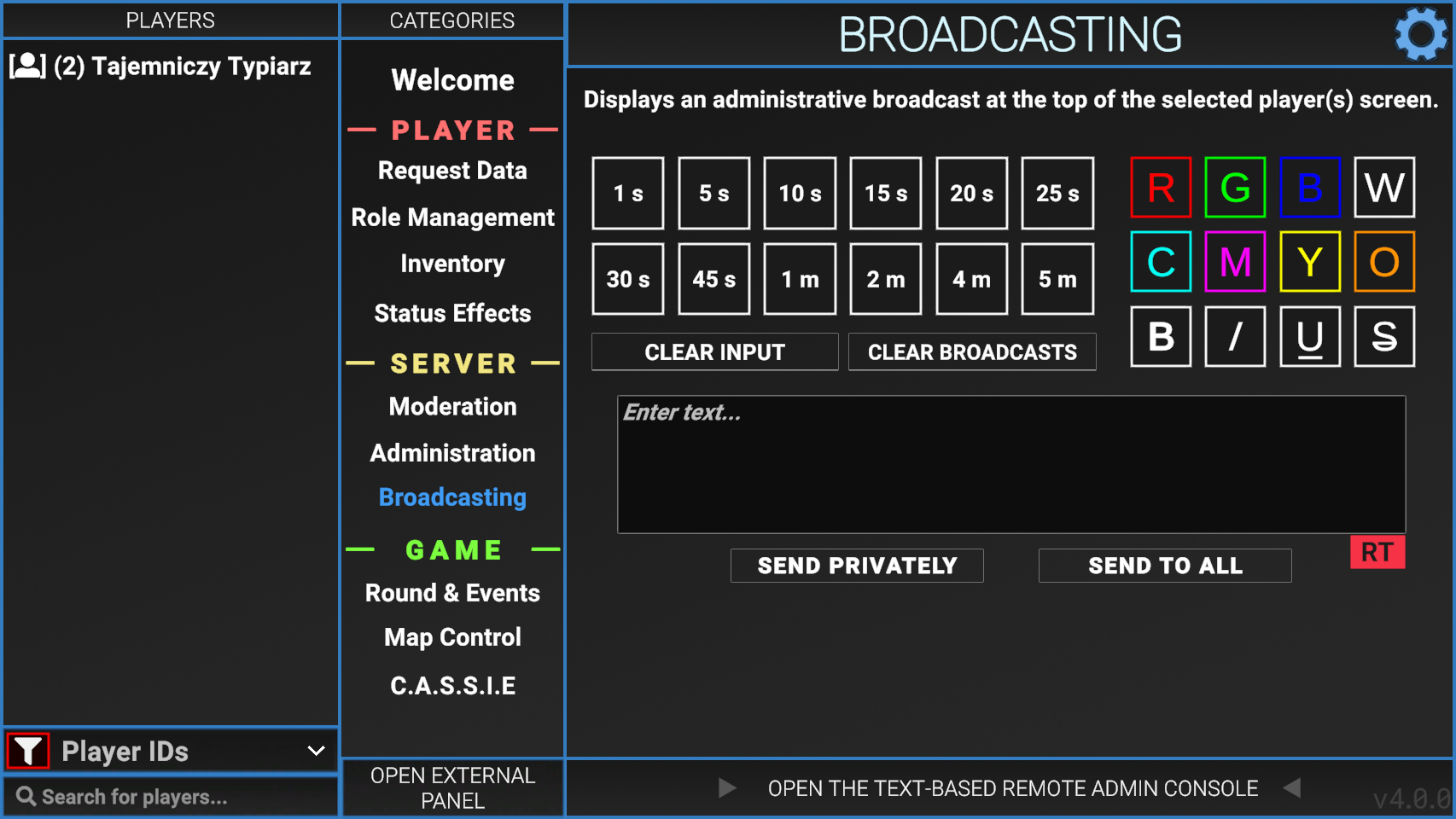
Broadcasting
Allows the user to send a message to the top of a player's screen or everyone's screen. Has settings that let the user choose how long the message last as well as the color of the text.
Text-Based Remote Admin
The Text-Based Remote Admin can be accessed by clicking the button at the bottom of the Remote Admin Panel.
Commands in Text-Based Remote Admin require the user's role to have certain Permissions to be able to perform them. Some permissions may only grant limited access over a command.
| Name | Aliases | Description | Parameters | Required Permission |
|---|---|---|---|---|
| Admin Chat | N/A | Displays a message at the top of the screen to only admins. | @<text> | ATC |
| Broadcast | BC | Displays a message at the top of the screen to everyone. | broadcast <length> <text> | BRC |
| ban | N/A | Bans the user from the server. | Ban <playerID> <length> | BN1, BN2, BN3 |
| buildinfo | N/A | Prints info about the current build. | Buildinfo | |
| cassie | N/A | Allows the user to force C.A.S.S.I.E. to make an announcement. | cassie <Pitch_X.x> <jam_(delay)_(stutter amount)> <words> | ANN |
| cassiewords | N/A | Prints all the words C.A.S.S.I.E. can say. | cassiewords | ANN |
| contact | N/A | List the server's contact info | contact | |
| config | cfg | Allows for config debugging and reloading. | config path config reload config value <config_option> |
CFG |
| destroytoy | N/A | Destory objects spawn in via spawntoy | destroytoy | |
| disarm | da | Forces a player to be disarmed, can only be undisarmed with the release command. | disarm <playerID> | PLM |
| ffd | tk/tkd | View friendly fire damage/kills done by a player. Pause/Unpause Friendly Fire | ffd <playerID> ffd status ffd pause ffd unpause |
FFT |
| groups | N/A | List all roles on the server and their permissions. | groups | * |
| help | N/A | Displays a list of commands. Displays help for a command. |
help <command_name> |
|
| HP | N/A | Set the HP value of a target. | hp <playerID> <value> | PLM |
| icom | speak | Toggles global voice over the intercom | icom | BRC |
| intercomtext | icomtxt | Change the text on the intercom | intercomtext <text> | BRC |
| oban | N/A | Bans an offline player. Duration is number of minutes. | oban <userIP> <duration> <reason> oban <steamID/discordID> <duration> <reason> |
|
| overcharge | ocharge | Turns off the lights in Heavy, with the option to do so in Light as well. Duration is number of seconds. | overcharge <duration> <onlyHeavy> = (true/false) | FCM |
| perm | N/A | List all your permissions. | perm | * |
| Ping | N/A | Shows your current ping. | ping ping <playerID> |
* |
| playerinventory | playerinv/pinv/pinventory | Displays the players inventory. | playerinventory <playerID> | PLM |
| PM | N/A | Used for editing permissions of groups. | pm groups For all the ones below, add "pm group" at the start. info <group_name> grant/revoke <group_name> <permission_name> setcolor <color_name> settag <groupname> <tag_name> enablecover/disablecover <group_name> |
PRM |
| refreshcommands | N/A | Reloads all the commands. | refreshcommands | |
| release | free | Release a disarmed player. | release <playerID> | PLM |
| ridlist | rids | Prints all room ids. | ridlist | |
| roomtp | rtp/ridtps | Teleports to the corresponding room ID. | roomtp <roomID> | PLM |
| roundtime | rt | Show the current round time. | roundtime | SCC |
| setgroup | N/A | Temporarily set a group to someone. | setgroup <playerID> <group_name> | SGR |
| spawntoy | N/A | Spawn in an object | spawntoy primitiveobject <shape> <color> <size> | |
| stopnextround | N/A | Stops the server at the end of the next round. | stopnextround | PRM |
| Unban | N/A | Unban a user from the server. | Unban id <playerID> Unban ip <userIP> |
BN3 |
| Wiki | N/A | Opens up the Remote Admin wiki page. | N/A | N/A |
Permission Codes
Permission codes can be found in Remote Admin Permissions Guide
Room IDs
A sortable table of Room IDs. Please note that multiple rooms can have the same ID. Click on the headers to sort it.
Not every room has a Room ID, if it isn't on this list, it most likely doesn't have one.
| ID | Description | Zone | Number of rooms |
|---|---|---|---|
| CROSSING | A 4-way intersection in LCZ | LCZ | 2 |
| GATE_A | The outside Area of Gate A on Surface Zone | Surface | 1 |
| HC_079_CR | SCP 079's containment chamber | HCZ | 1 |
| HC_079_HALL | The area between the two blast doors that lead into SCP 079's containment chamber | HCZ | 2 |
| HC_079_MON | The room for monitoring SCP 079 | HCZ | 1 |
| HC_096_CR | Presumably 096's containment chamber, but actually the room where the MicroHID is stored | HCZ | 1 |
| HC_106_CR | SCP 106's room, with both the rooms behind locked doors as well as freely-accessible ones having the same ID | HCZ | 3 |
| HC_457_CR | The room where SCP 096 spawns | HCZ | 1 |
| HC_SERVERS | The server room | HCZ | 4 |
| HC_TESLA_B | Every tesla gate in HCZ | HCZ | 4 |
| HID | Directly outside of the room where the MicroHID is stored | HCZ | 1 |
| Intercom | Directly outside of the intercom room | Entrance | 1 |
| LC_914_CR | Inside of 914's containment chamber | LCZ | 1 |
| LC_ARMORY | Presumably the armory in LCZ, but actually the red rooms in entrance | Entrance | 2 |
| LC_CAFE | The computer room in LCZ | LCZ | 1 |
| nuke_hcz | Directly outside of the elevator leading to the nuke room | HCZ | 1 |
| nukesite | Directly in front of the control panel to turn on the nuke | HCZ | 1 |
| Offices_PCs | The large computer room in entrance | Entrance | 1 |
| Offices_PCs_small | The small computer room in entrance | Entrance | 1 |
| Offices_upstair | The computer room in entrance with stairs | Entrance | 1 |
| Shelter | Directly outside of the blast door to the Evacuation Shelter | Entrance | 1 |
| Smallrooms2 | The hallway room with two locked doors in entrance | Entrance | 1 |
| Straight_4 | A hallway room in entrance | Entrance | 1 |
| topsite | Directly outside of the warhead control room on the surface | Surface | 1 |
Cassie Word List
The full Cassie word list and phrases can be found here.