
Diagnose Memory Issues with the Windows Memory Diagnostic Tool
Running a diagnostic tool on your RAM can solvehelp randomto discover the cause of system crashes and other problems, due to this it may also help with Secret Lab crashes.problems.
Windows Memory Diagnostic is an official tool from Microsoft that you can use to diagnose RAM issues, it comes with every recent Windows release.
You may follow these steps to activate the tool and have it scan your memory:
- Press the Windows key and R together.
- In the Run Box, type mdsched and press OK.
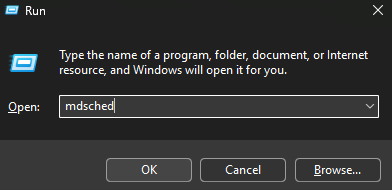
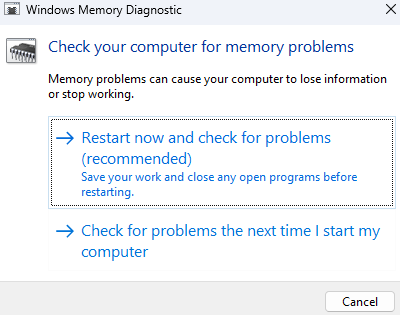
3. A Windows Memory Diagnostic will appear, assuming you're not doing anything, click "Restart now and check for problems"
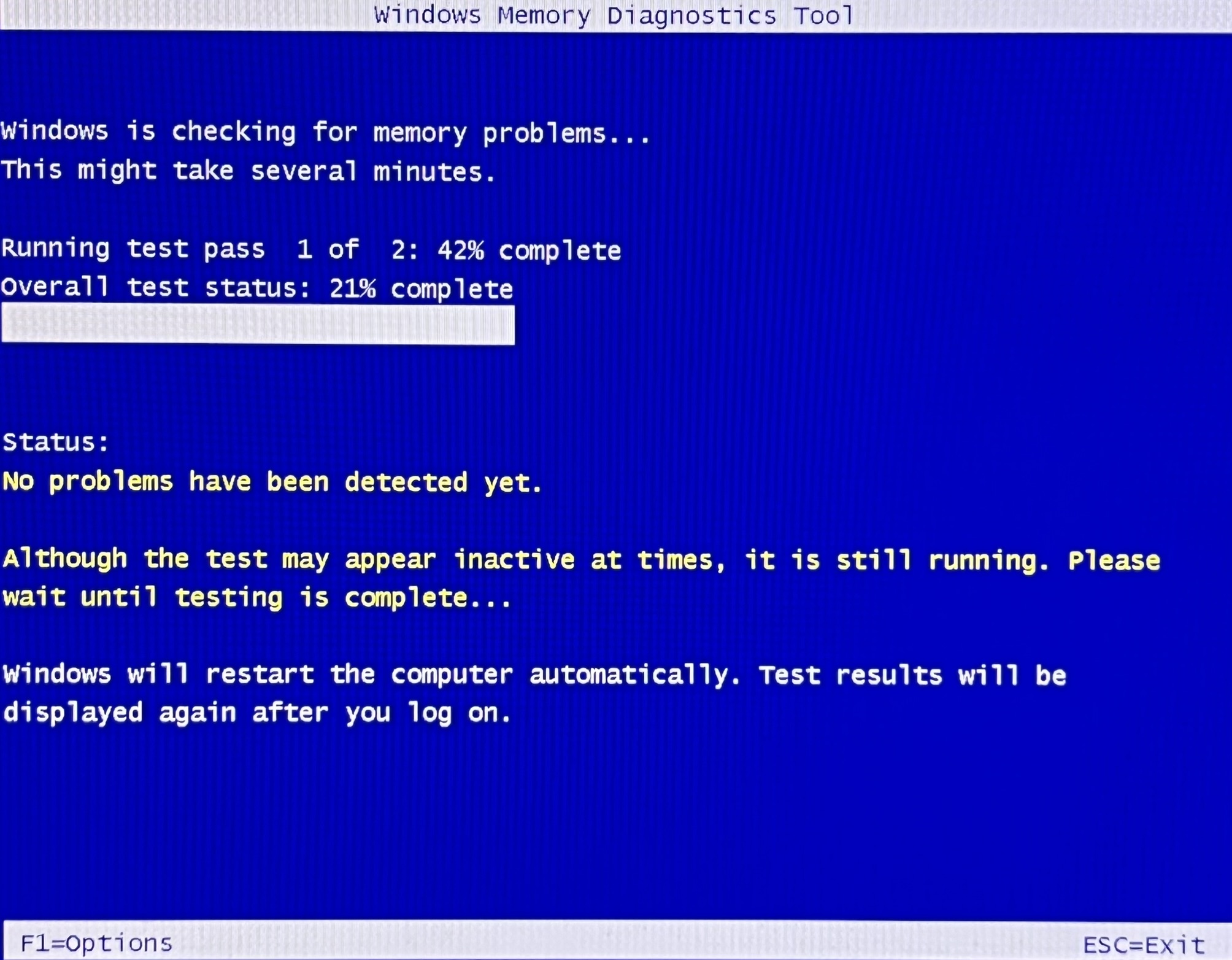
4. The tool will restart your computer and attempt to check for problems, this can take a while.
How 5.to get Afterwards,the youresults
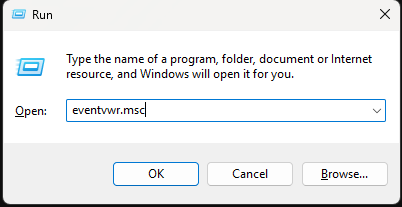
1. orPress maythe notWindows receivekey and R together, type eventvwr.msc, then press OK.
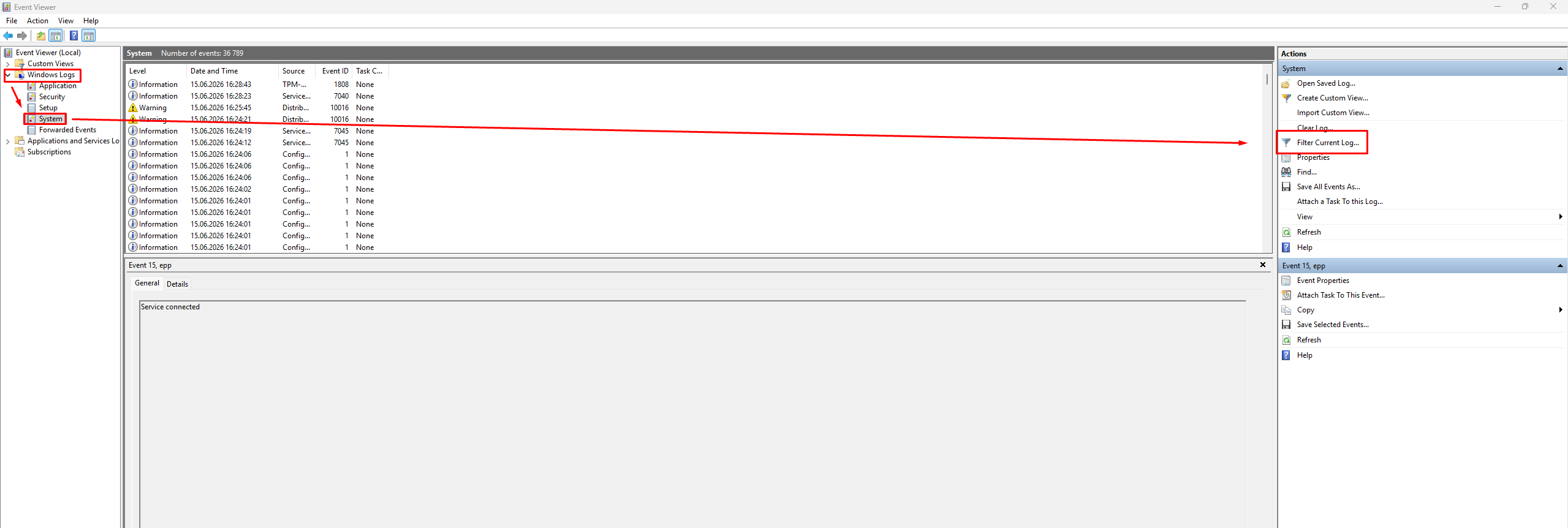
2. In Event Viewer, expand Windows Logs and select System. Once the logs have finished loading, click Filter Current Log... in the Actions panel on the right.
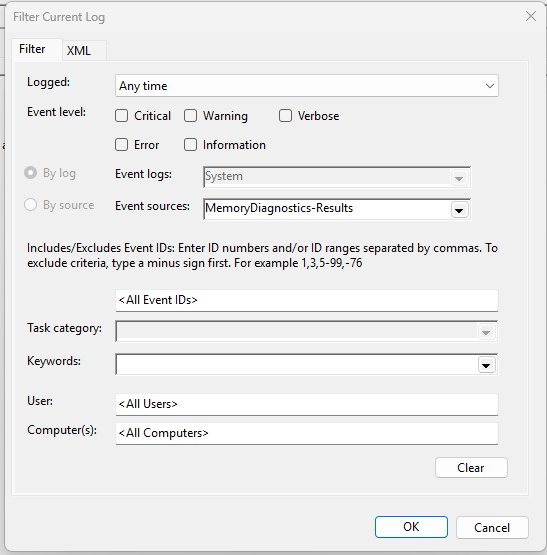
3. Under Event sources, select MemoryDiagnostics-Results, then click OK.
4. Select the most recent Memory Diagnostics event. The result of the test will be displayed in the General tab at the bottom of the window.
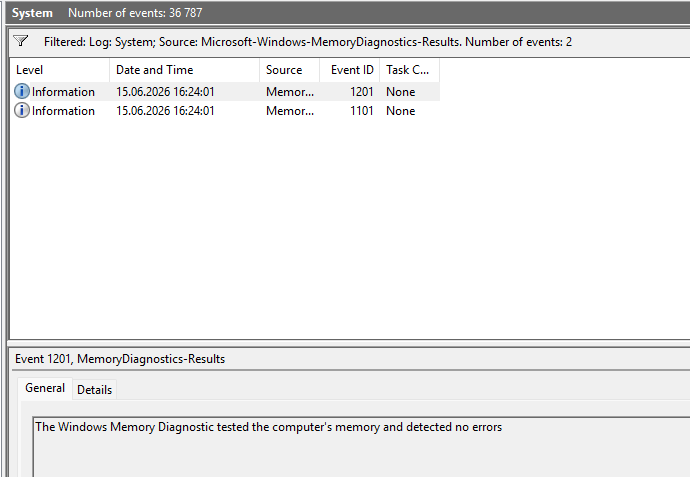
If the results ofindicate thethat test.memory Regardless,errors attemptwere todetected, runyour SCP:RAM Secretmay Laboratory.be faulty or unstable.